A clear next step on every open case
A web app that shows disease investigators what every open case needs next, and who has it.
- Role
- Product Designer
- Solo project
- Timeline
- August 2026
- Research to version 2
- Type
- Web app
- Case management
- Focus
- Workflow design
- Public health
Overview
Disease investigators at local health departments reach people with reportable diseases fast enough to limit spread. The state system records what’s known about each case, not what happens next. Tracewell sits on top of it and makes each case’s next step explicit: what it is, who has it, and when it’s due. I made it through my Public Health minor, to explore where epidemiology meets UX; a peer at the county health department connected me with investigators.
TL;DR
- The problem
- Next steps live in spreadsheets, voicemail, and memory, not the official record, so waiting and urgent cases get buried.
- What I did
- Interviewed 7 investigators at 2 health departments, built a working prototype, revised it over 4 rounds of investigator review, and benchmarked it against a stand-in for their current tools with 3 new investigators.
- The outcome
- A queue that leads with each case’s next action, real waiting and handoff states, and drafts that survive interruptions.
The current experience
Before the first case of the day, an investigator checks six to nine places, from the state system to email, voicemail, and spreadsheets. None of them says what to do next.
Waiting looks like active
A case waiting on someone else sits in the same list as one due today, so it quietly ages.
Promises live in notes
“I’ll call you tomorrow” ends up in a personal list or a narrative note, not on the case.
Handoffs lose the owner
A case changes hands verbally, and it’s unclear who owns the next step.
So I went and listened to seven investigators at two health departments.
Research synthesis
“Waiting cases look almost exactly like active cases.”
Meet Morgan
A composite of the seven investigators interviewed. The goals, frustrations, and habits are drawn from real responses; the name and details are changed.


Morgan King
The Overloaded Tracker
- 36
- Disease investigator
- Harlan, KY
Bio
Works a steady stream of reportable disease cases and knows the state system well, along with the email, spreadsheets, and phone notes that fill its gaps. Trusts a dashboard only if it shows what needs doing next, and who has it, without opening every case.
Personality
Morgan
User journey map
Morgan’s day today, across the state system, email, voicemail, and spreadsheets. Each stage’s low point became an opportunity.
Tasks
- Sweeps email, voicemail, the state system, a spreadsheet, and a calendar
- Checks for anything urgent that came in overnight
- Builds a mental list of the day
Feelings
Routine, then uneasy. Morgan can’t confirm in one place that nothing was missed.
Opportunity
One morning view that answers “what needs me today?” so the sweep isn’t needed.
How it works
Tracewell doesn’t replace the state system. It sits on top of it and keeps track of the one thing the record can’t: what happens next.
State surveillance system
The record of what’s known. Stays the source of truth.
Tracewell
What happens next: next actions, owners, waits, promises, handoffs.
A case’s life in Tracewell
Comes in
A report by phone or fax, or a lab result matched to a person.
Needs you
Overdue, due today, or later, each with its next action.
Waiting on others
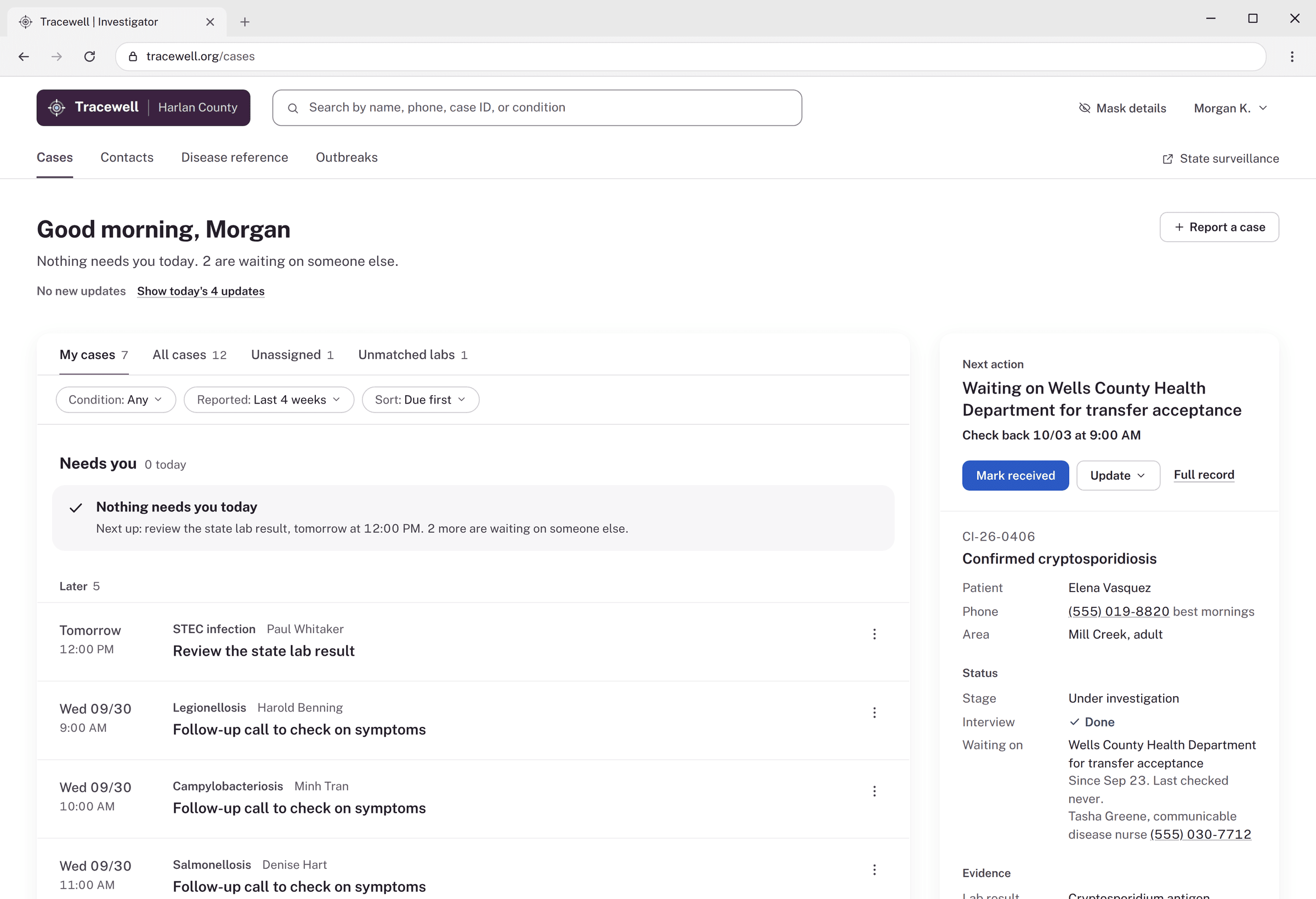
Until what it’s waiting on arrives or the check-back date comes, then back to Needs you.
Handed off
Stays with the sender until accepted, then moves to the receiver’s Needs you.
Closed
The case notification goes to the state automatically.
The rule underneath: every open case has a next action, an owner, and a due date. A case without one is flagged and sorts to the top.
Why a queue?
The home screen had to answer “what needs me now?” I weighed three formats.
- Ruled out
A kanban board
Good for moving work between stages, but one person's overdue and waiting cases end up split across columns.
- Ruled out
A calendar
Puts dates first, so who has a case and what it's waiting on get buried.
- Chosen
A queue
Shows each investigator's waiting and overdue cases efficiently, while peers' assignments stay a glance away.
From idea to execution
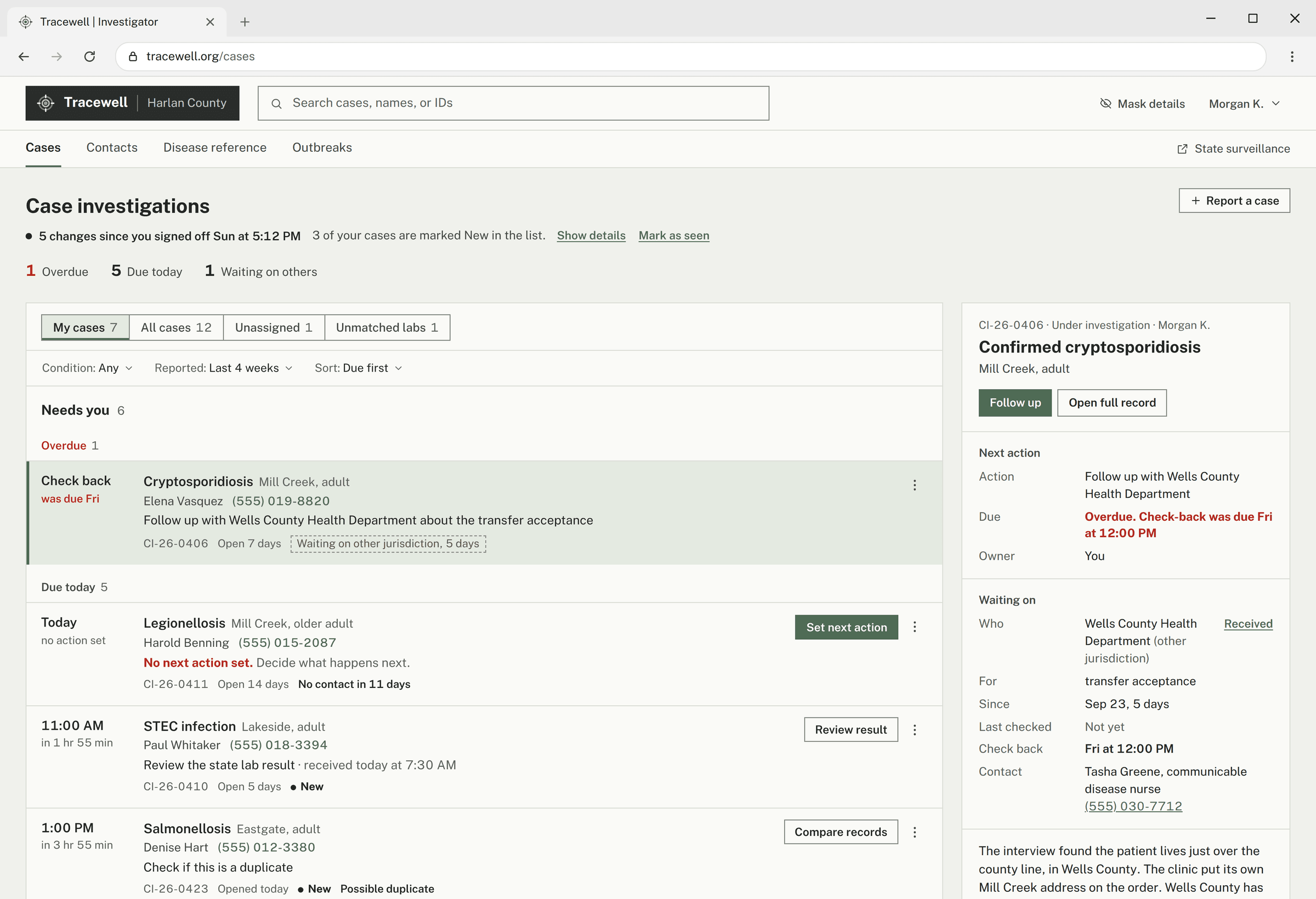
The case queue screen, from wireframe to the first working version.
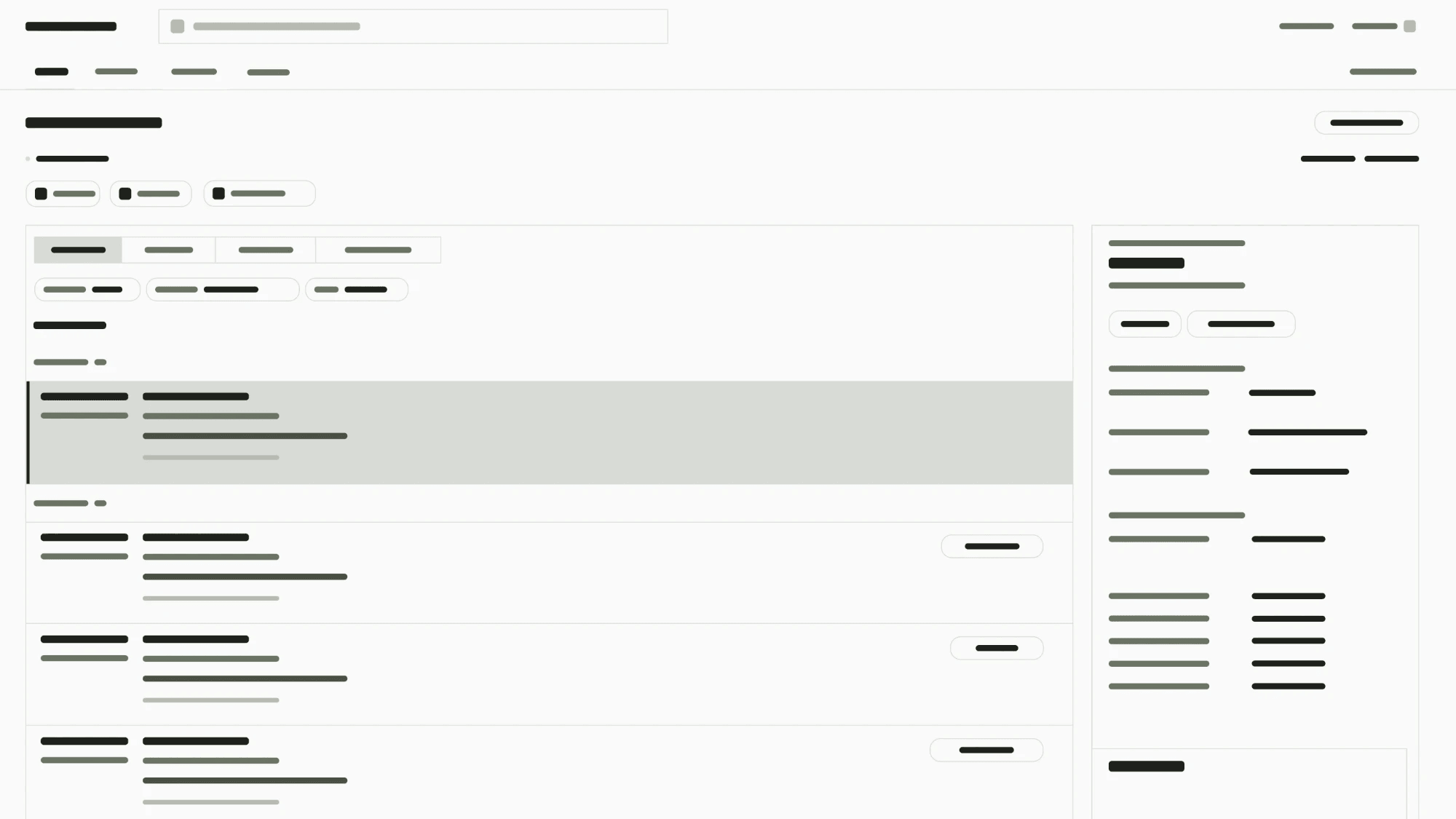
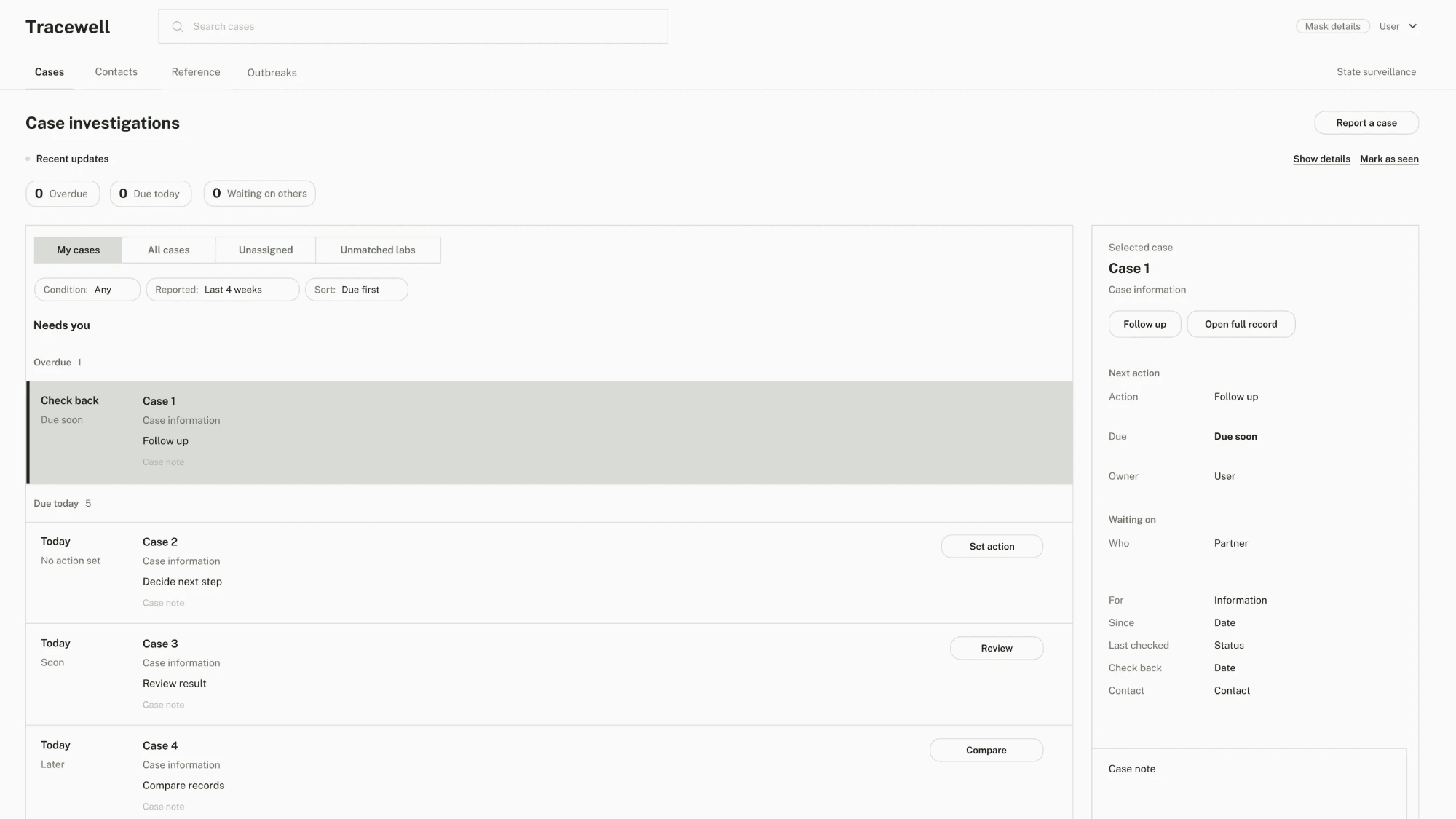
Before locking anything in, I put it in front of investigators.
What review changed
Four rounds of review with investigators between version 1 and version 2: two hands-on tests, interruptions included, and two rounds of feedback on how it looked and read. In a final benchmark, 3 new investigators tried a stand-in for their current tools, with the same sample cases, and version 2 in alternating order: they spotted the priority case 24% faster (median 59s to 45s), checked one place instead of seven, and named the correct next action in 10 of 12 cases.
“The first one makes me reconstruct what happened. This tells me what I actually need to do.”
- 1
Stress test
Tested with 2 investigatorsFoundThe next action felt like something to manage, not the thing the screen was organized around.
ChangedRows lead with the next action, and late cases say “Overdue” in the time column.
More from this round (3)Less
FoundToo many system terms to tell apart: Needs you, Waiting on someone, Assign, Follow up, Review result.
ChangedA “What happened?” menu in plain words, and one verb for passing a case on: Hand off.
FoundActions with official consequences used a generic “Save.”
ChangedButtons name the consequence: “Save classification,” “Close case and send to state.”
FoundSearch only looked inside the current tab, so older and closed cases were invisible.
ChangedSearch covers every case from any page. In four test searches, version 1 found 2 and version 2 found 4.
- 2
Visual and tone
Feedback from investigatorsFoundThe single muted green read as generic, and sat too close to the green used for “done.”
ChangedTwo colors: aubergine for structure, cobalt only for actions. Red, amber, and green stay for status.
More from this round (2)Less
FoundCopy read as machine-written: chains of separators, checkmarks, rule-like helper sentences.
ChangedPlain sentences, a greeting instead of a counts row, and checkmarks only where something is done.
FoundBoxes, borders, and tags competed with each other.
ChangedA white page, softer cards without outlines, more space between groups, and underline tabs.
- 3
An interrupted morning
Tested with 2 investigatorsFoundPressing Esc mid-note threw the note away, with no warning and no trace on the row.
ChangedDrafts are kept and flagged “Unsaved call note” until finished.
More from this round (2)Less
FoundThere was no way to log a call the patient made.
Changed“I called them / They called me” at the top of Log a call.
FoundUndo vanished after 7 seconds, and the list lost its place after opening a record.
ChangedUndo waits while the pointer is on it, and the list returns to the same spot.
- 4
Hierarchy
Feedback from investigatorsFoundEvery piece of a row had similar weight, and flags, events, and statuses all looked like the same pill.
ChangedCase, then next action, then due. Status, flags, and events each have their own form.
More from this round (2)Less
FoundThe case panel showed everything about a case.
ChangedIt answers “what do I need to know to act?” with everything else behind “More details.”
FoundInside a case, other buttons competed with the next action.
ChangedThe Next action card comes first, its button matches the action, and Hand off and Close case are quiet.
A web app built for clear next steps and clean handoffs.
What I built
Try the prototype ↗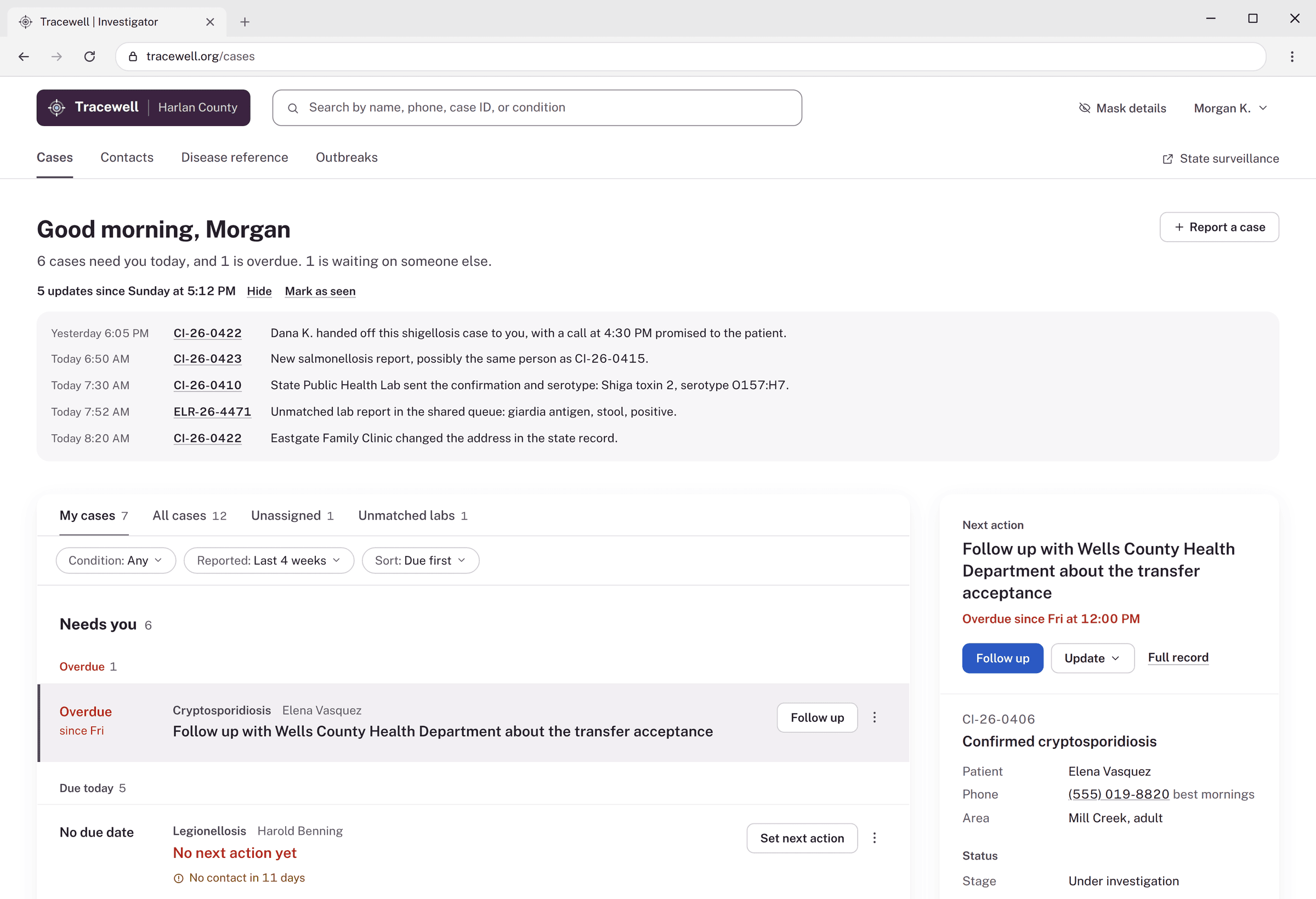
- 01
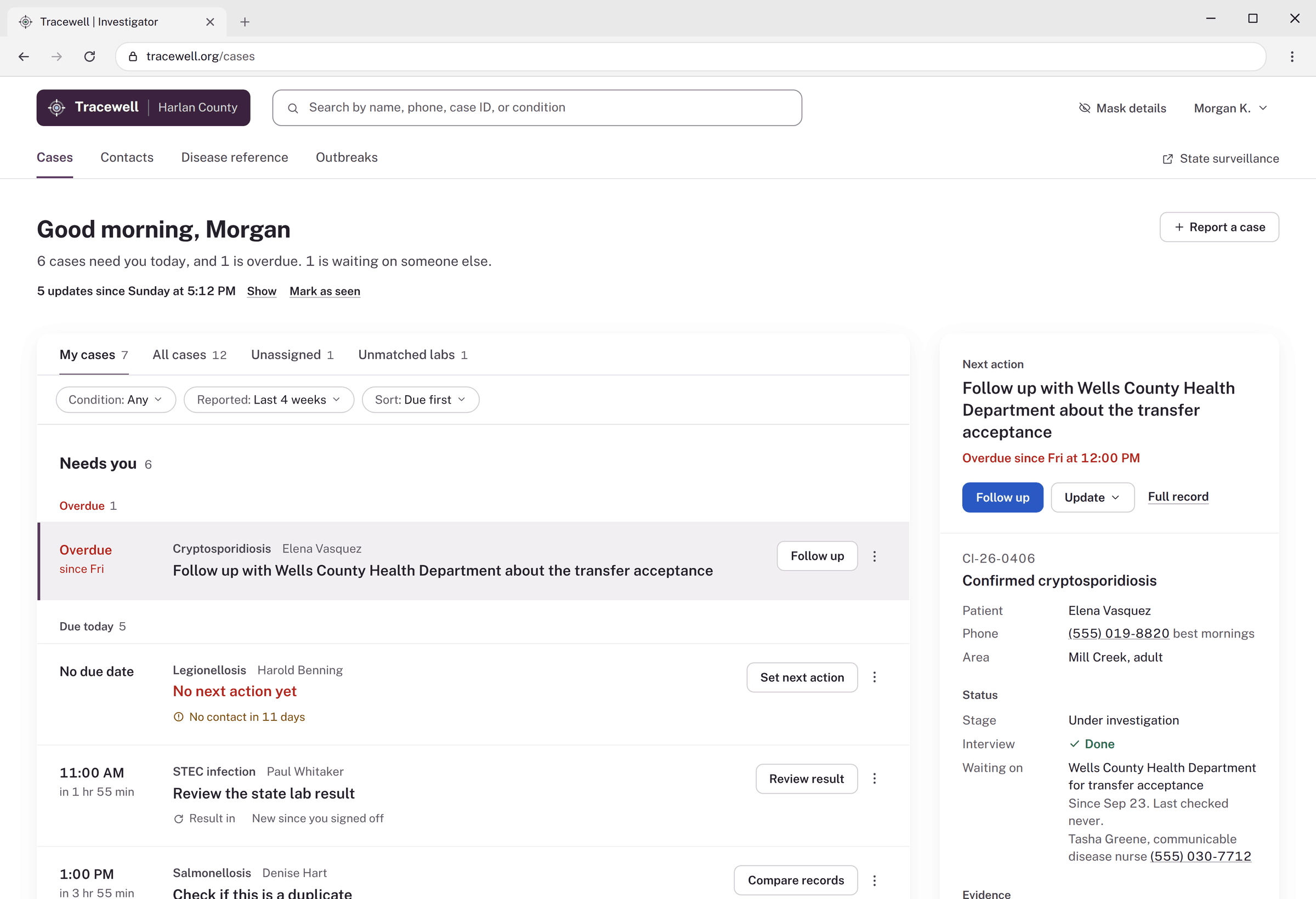
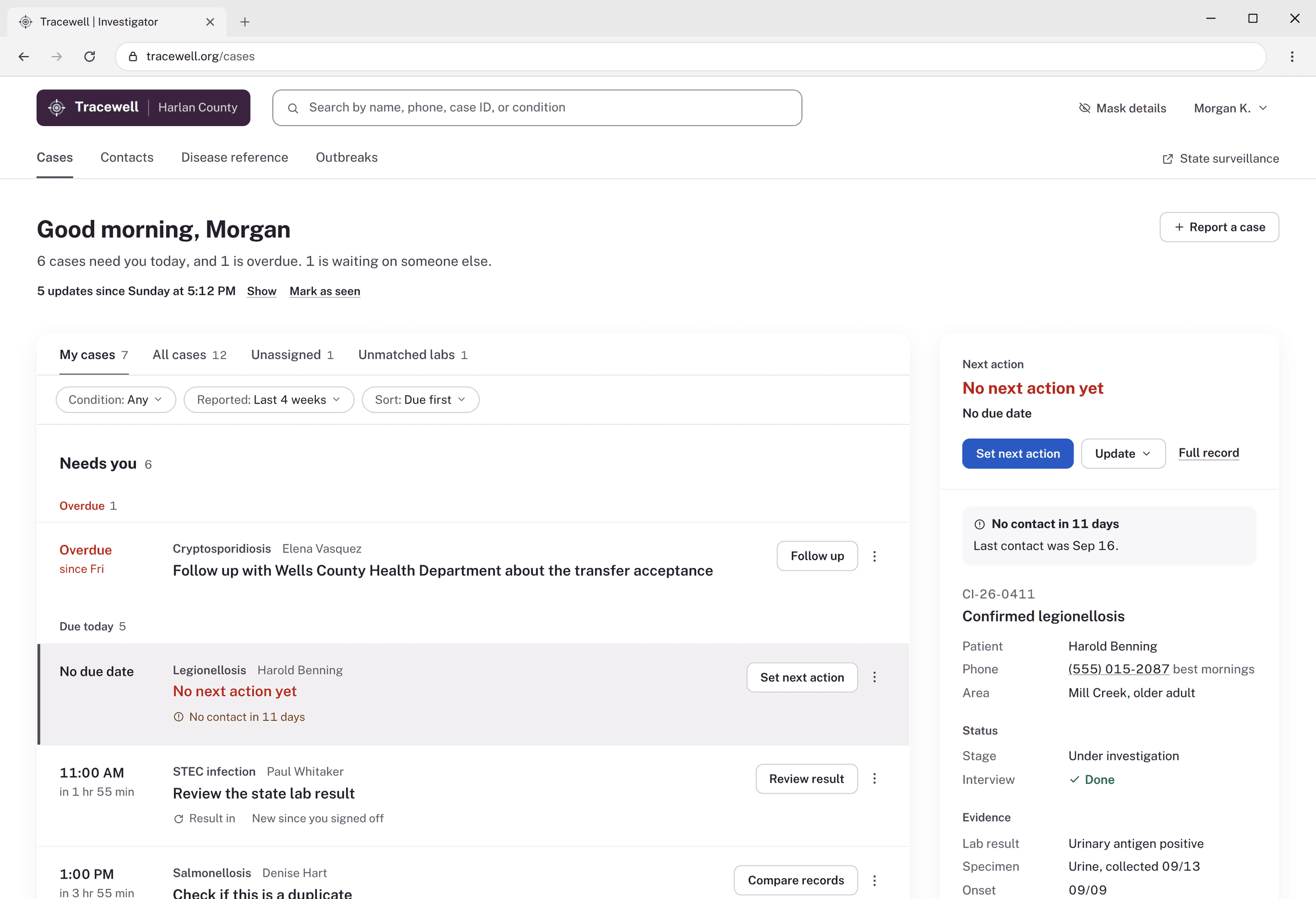
The queue
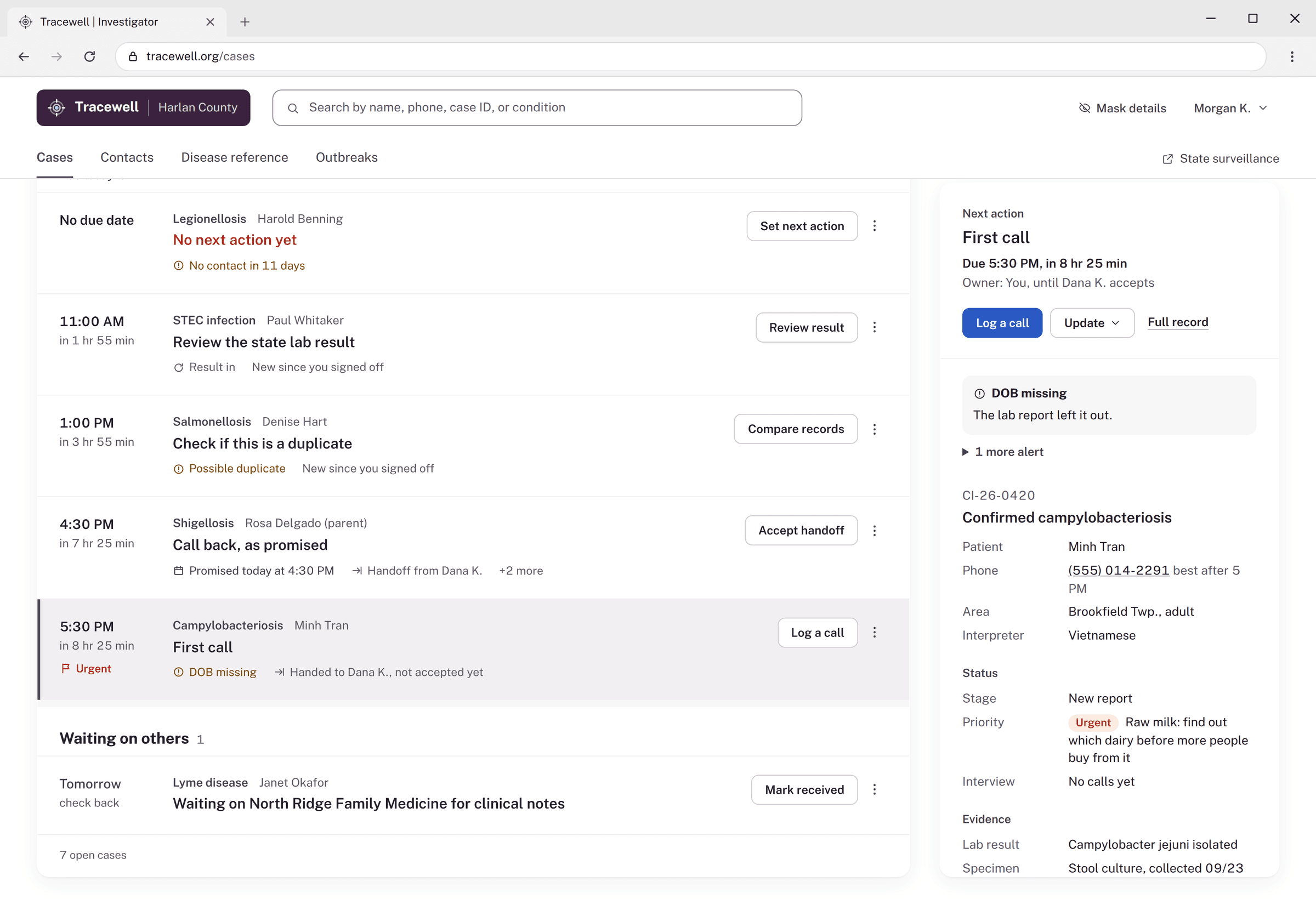
Know what to work on, at a glance.
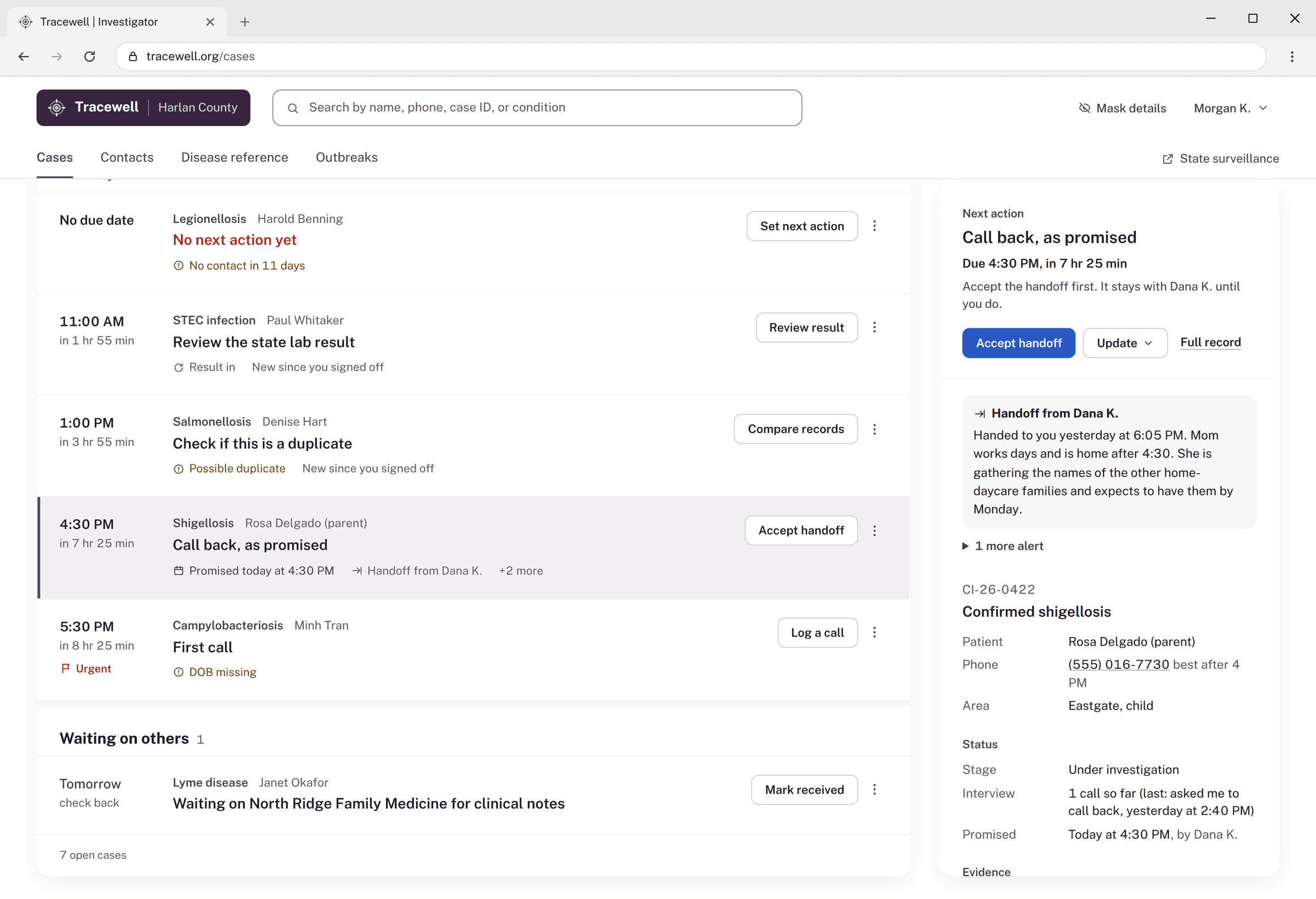
- “Good morning, Morgan,” and one sentence: what needs you, what’s overdue, what’s waiting
- Each row reads case, then next action (in the largest type), then when it’s due
- Status sits only in the time column; flags are amber text, events are grey
- 02
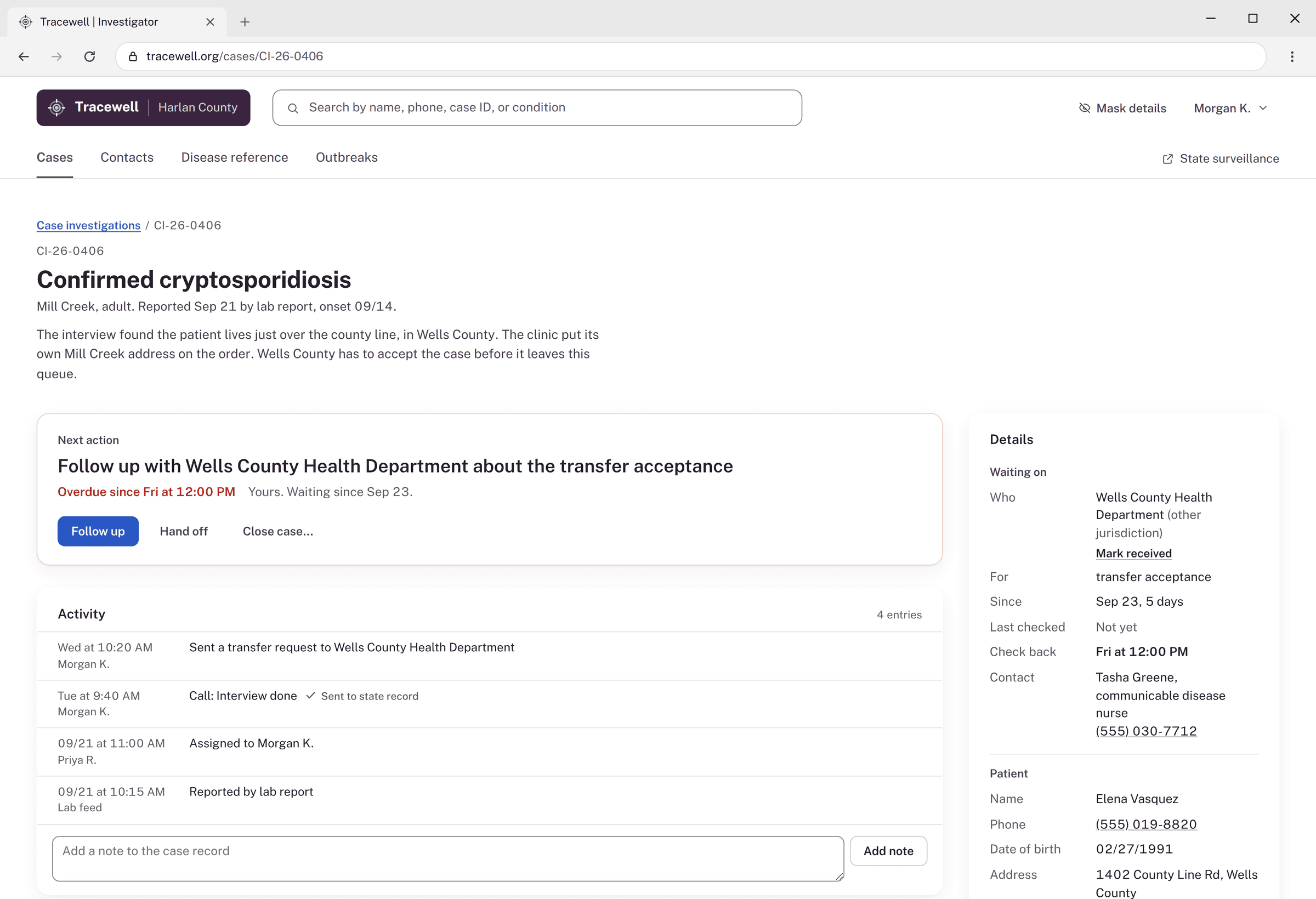
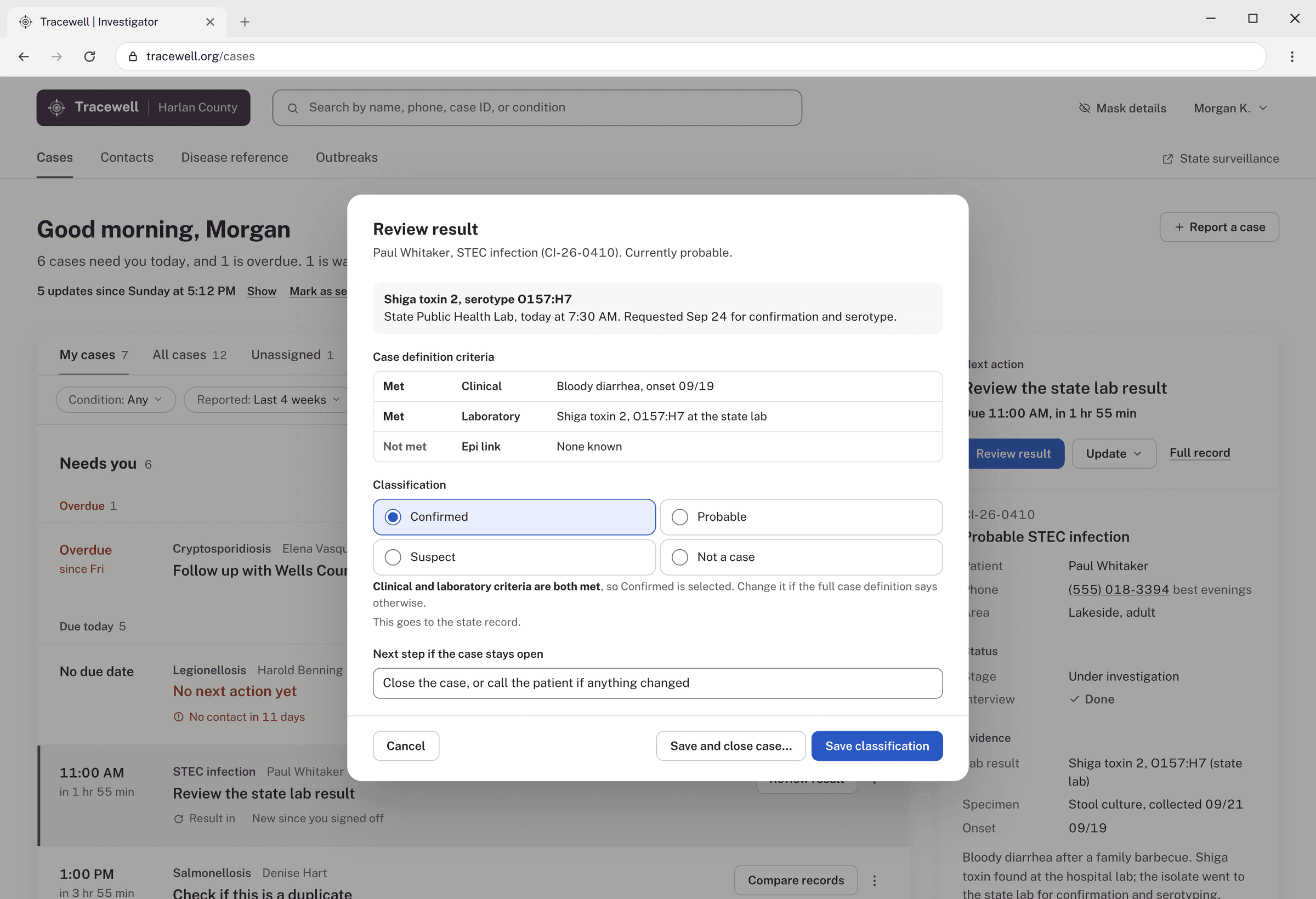
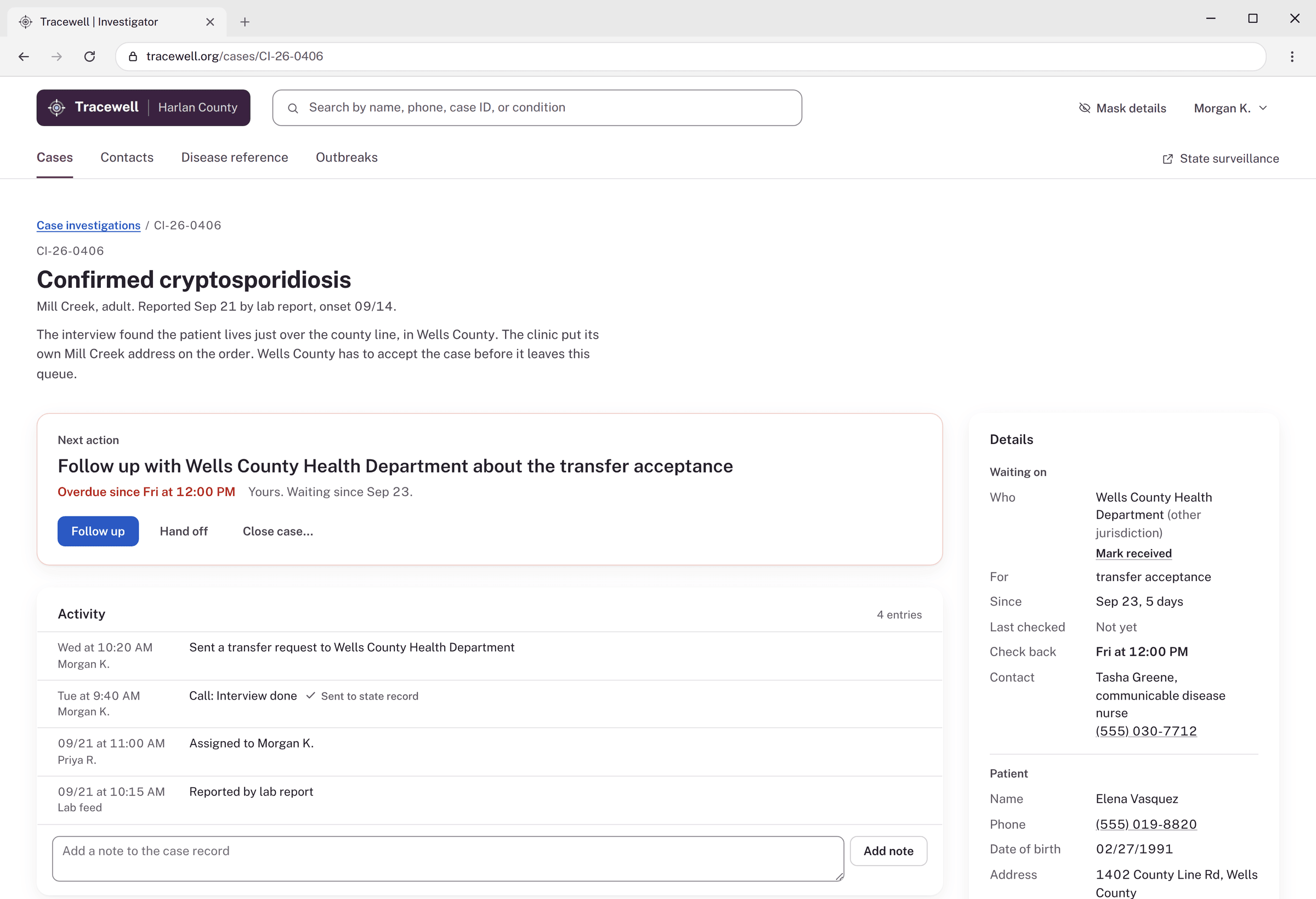
The case record
What do I need to know to act?
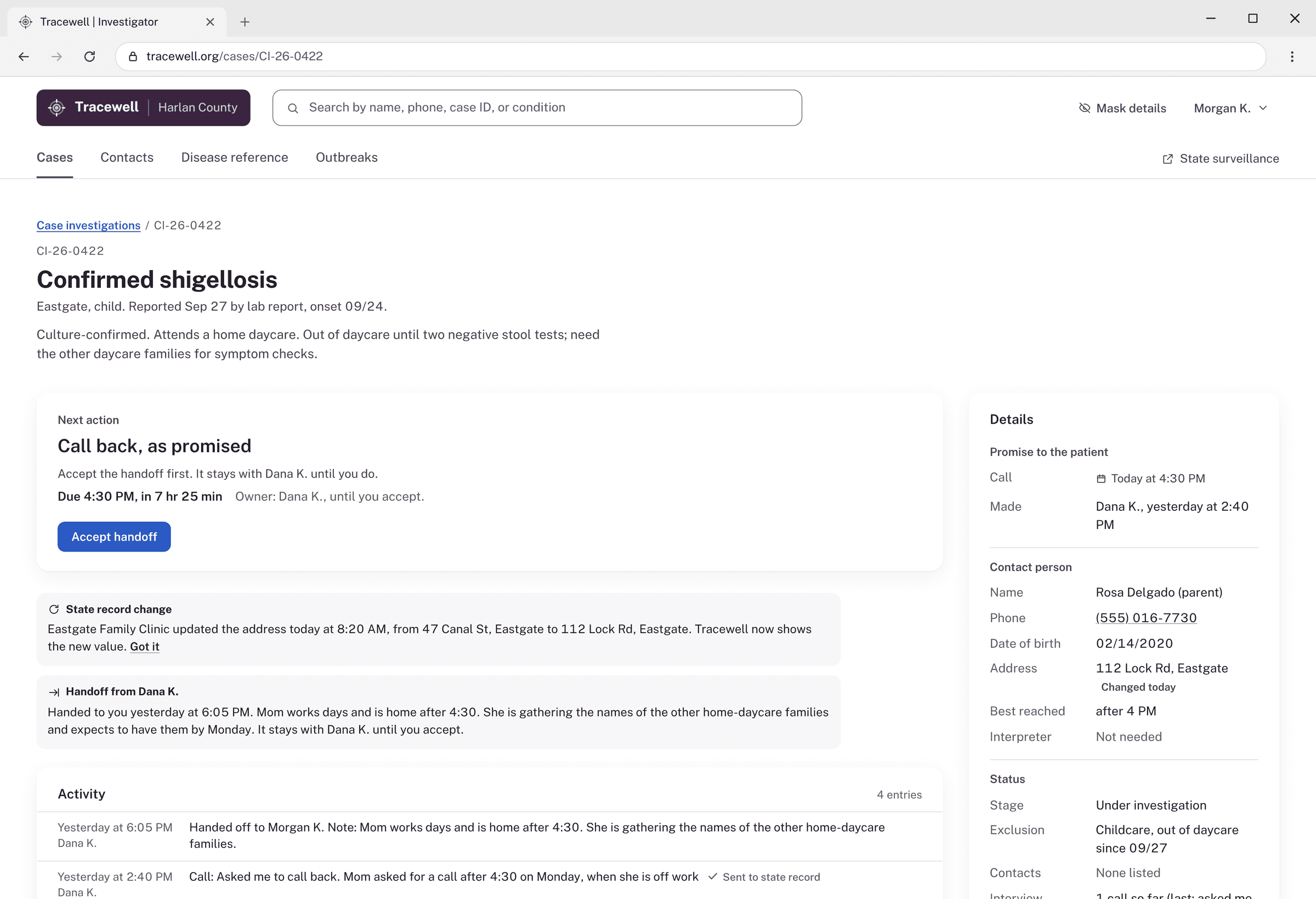
- The Next action card comes first, and its one solid button matches the action
- Hand off and Close case are there, but quiet
- Every update lands in Activity, with logged calls marked “Sent to state record”
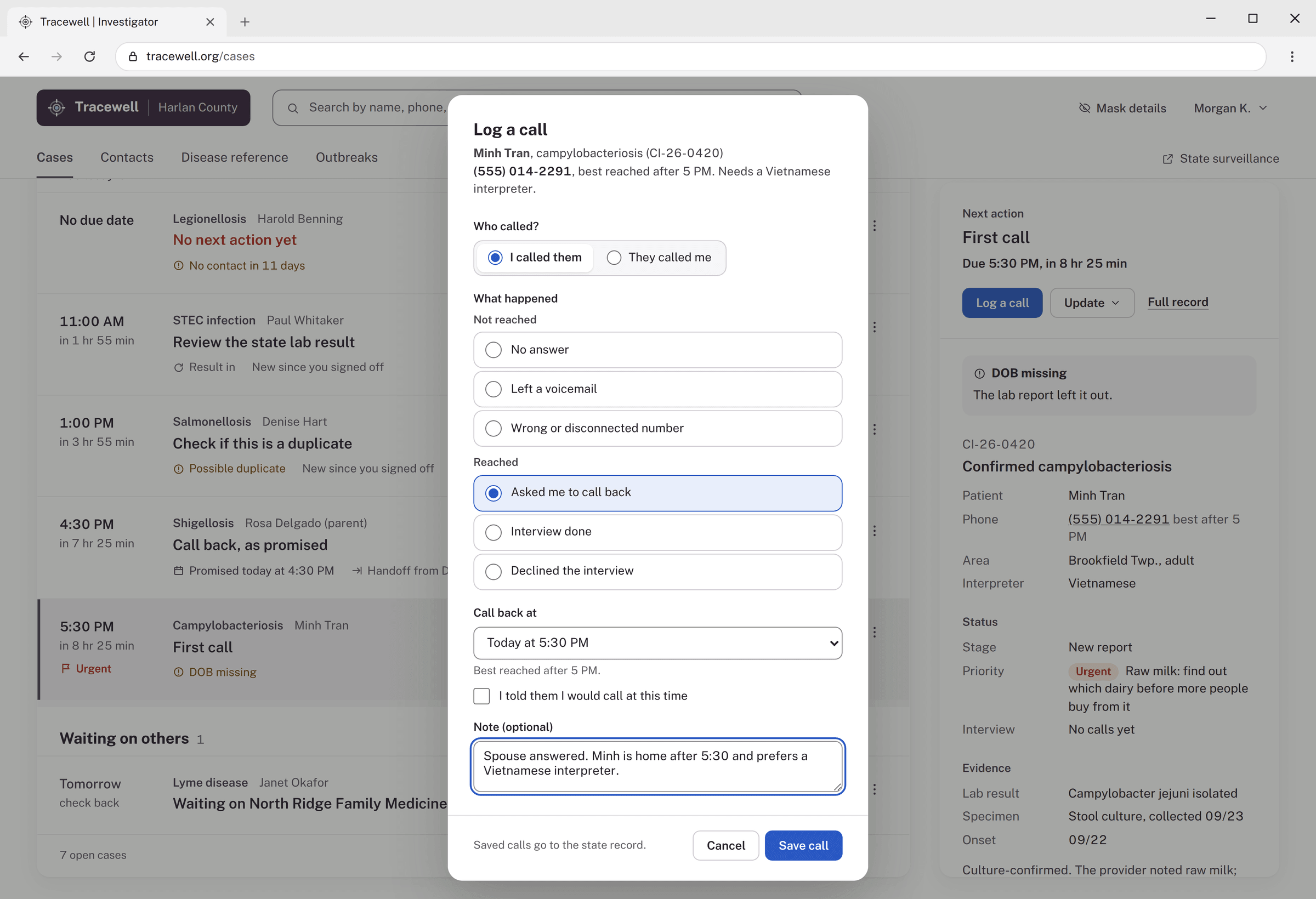
- 03
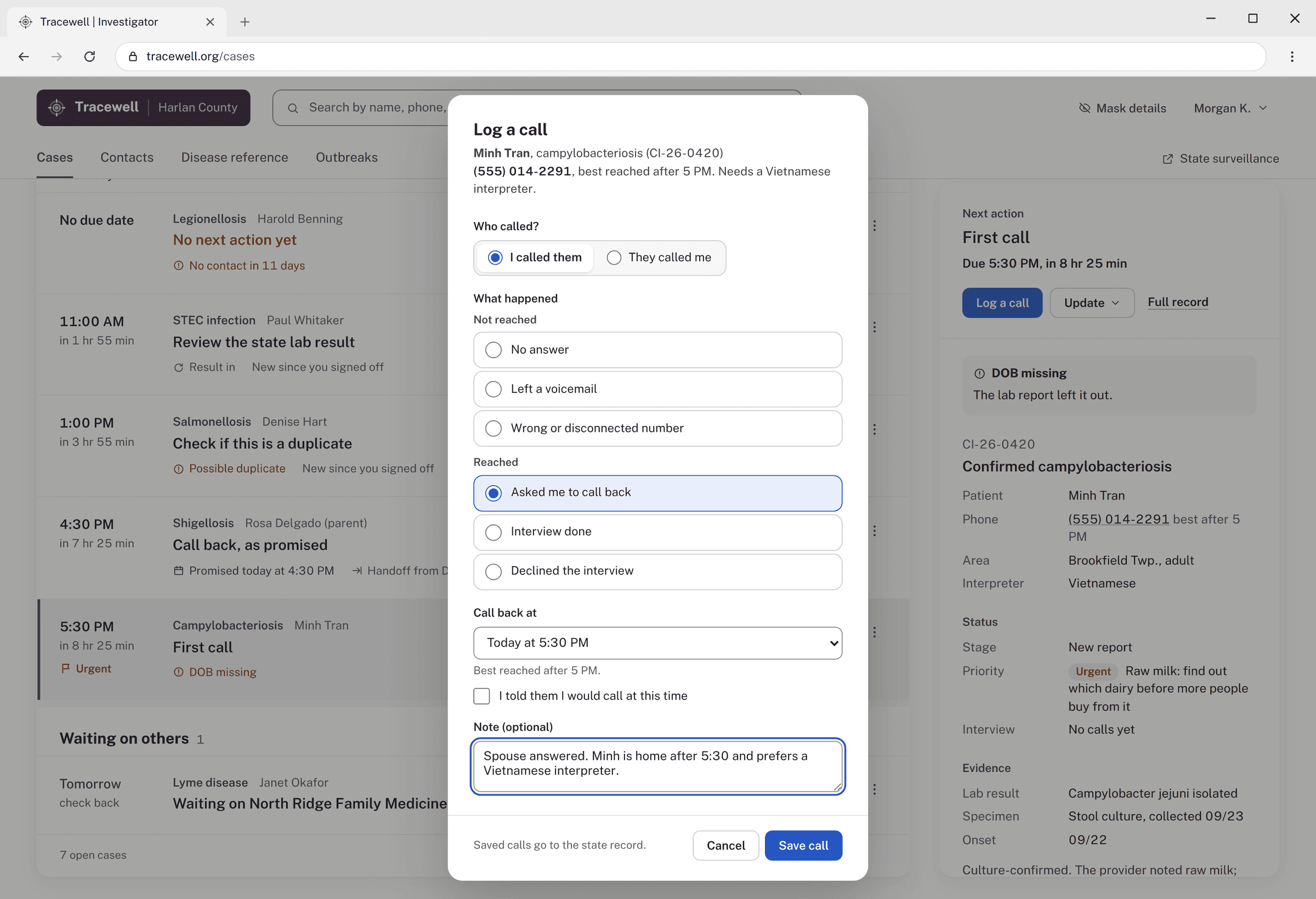
Log a call
Logging work in the investigator’s own words.
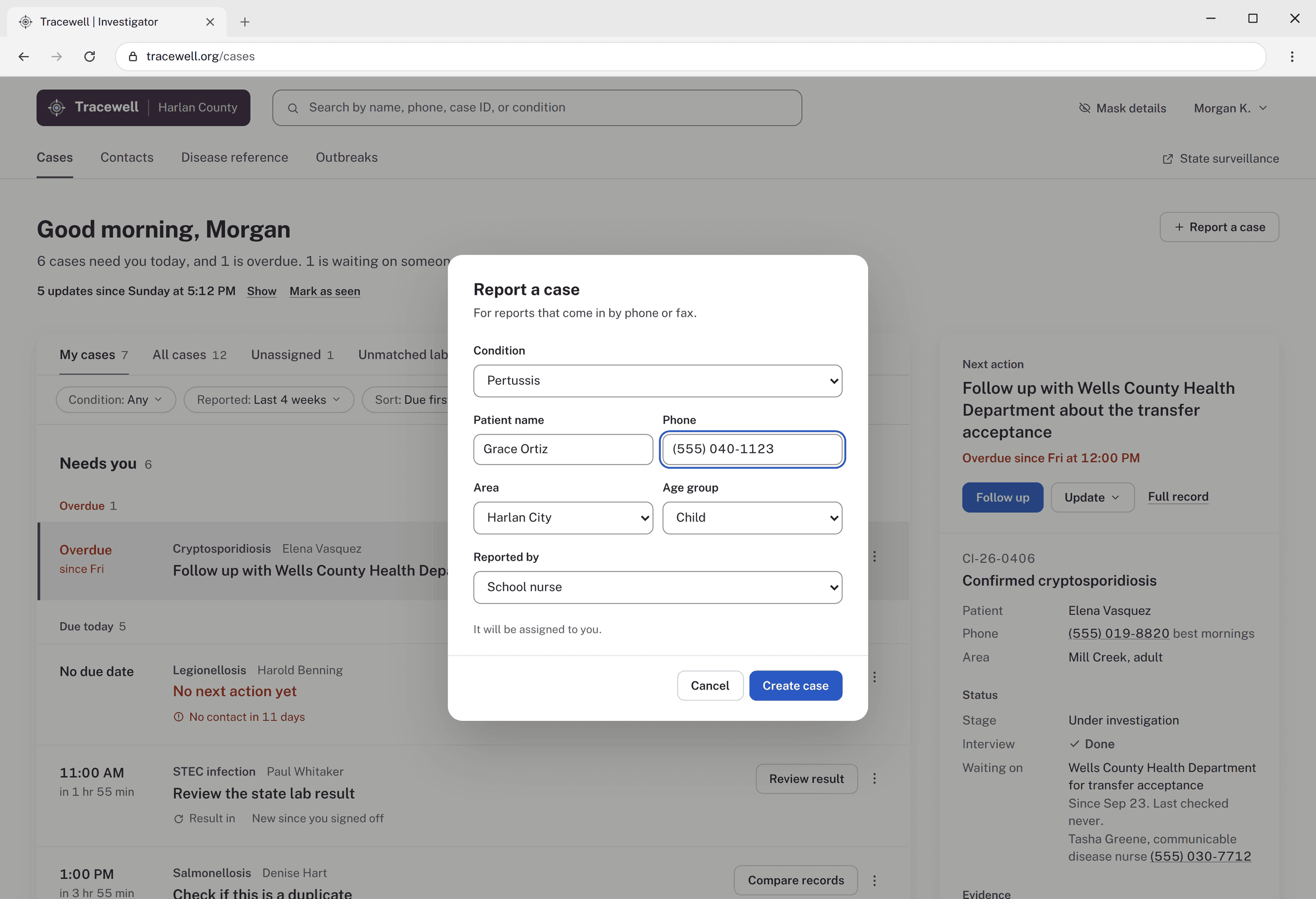
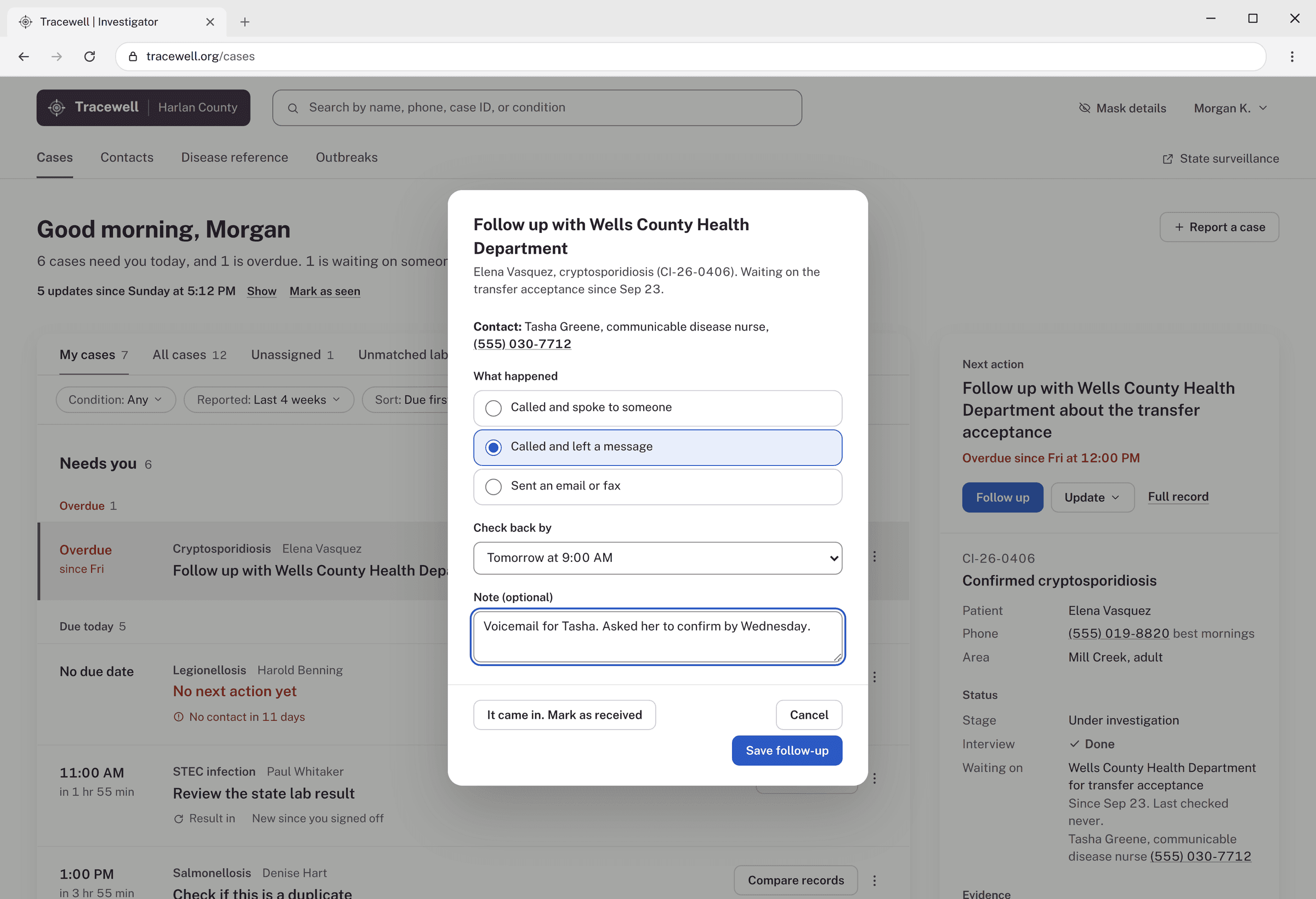
- “I called them” or “They called me,” since patients call back too
- What happened, in plain words, split into not reached and reached
- “I told them I would call at this time” keeps a promised call-back on the case
- Saved calls go to the state record, so nothing is entered twice
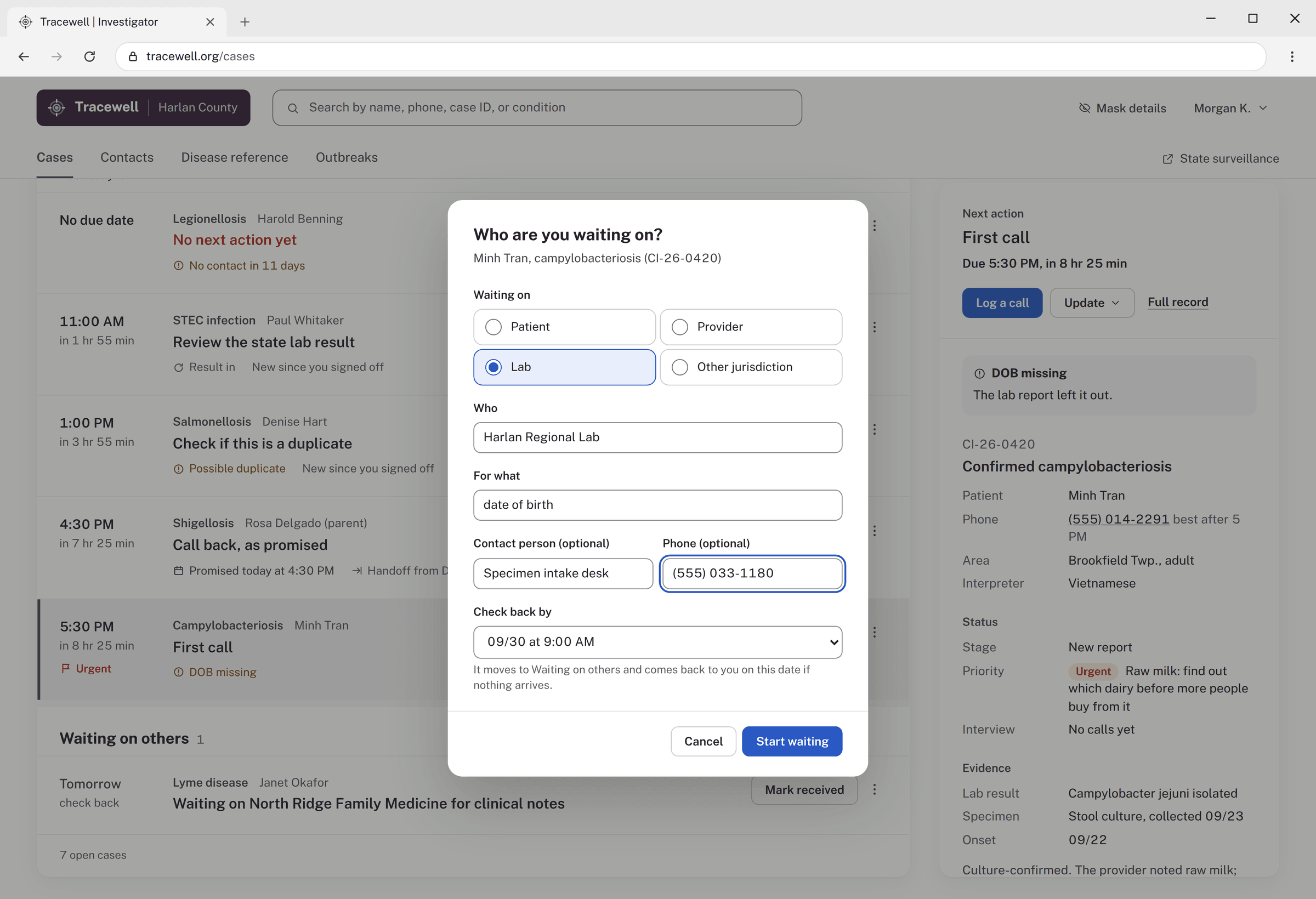
- 04
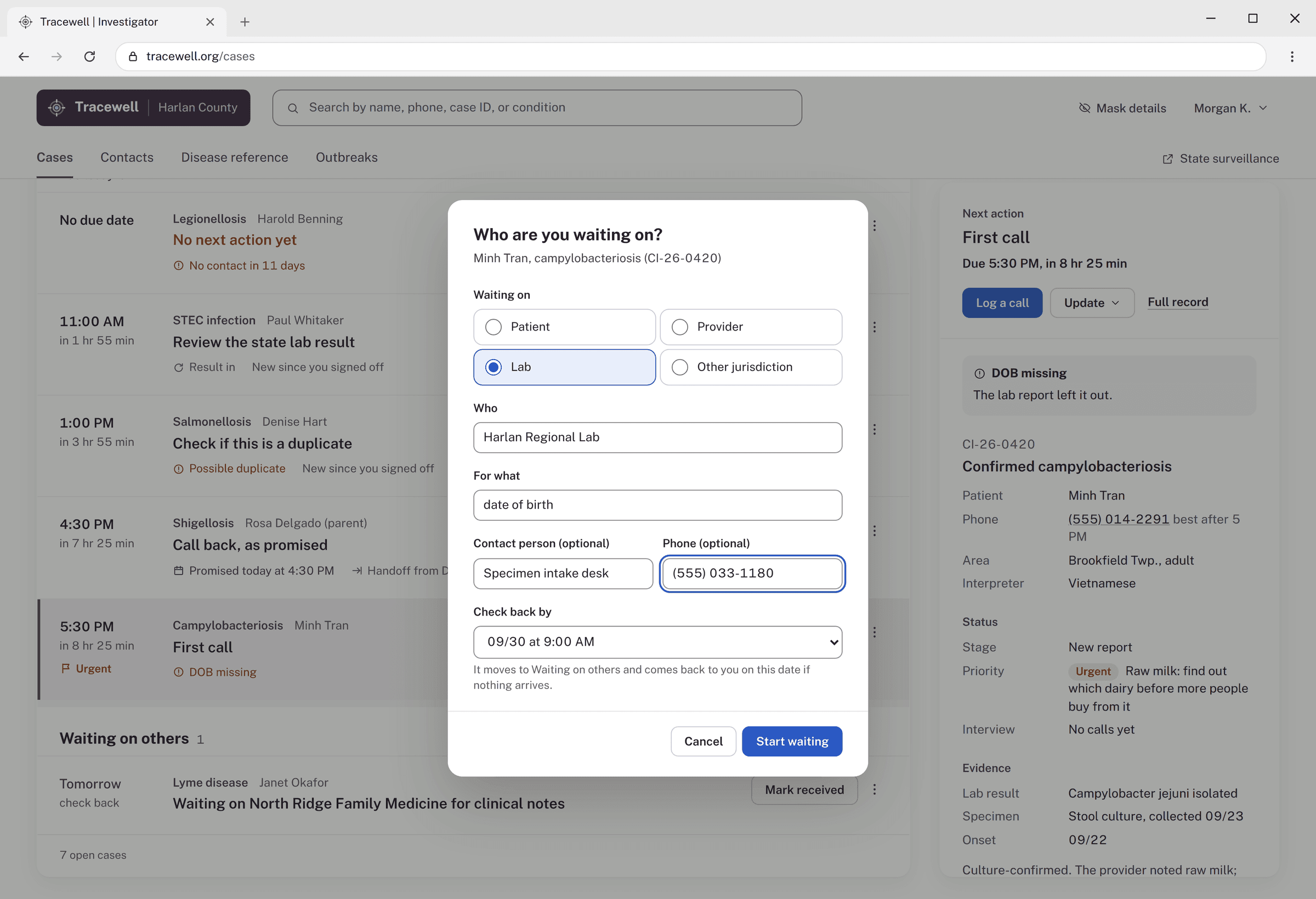
Waiting on others
Waiting, as a real status.
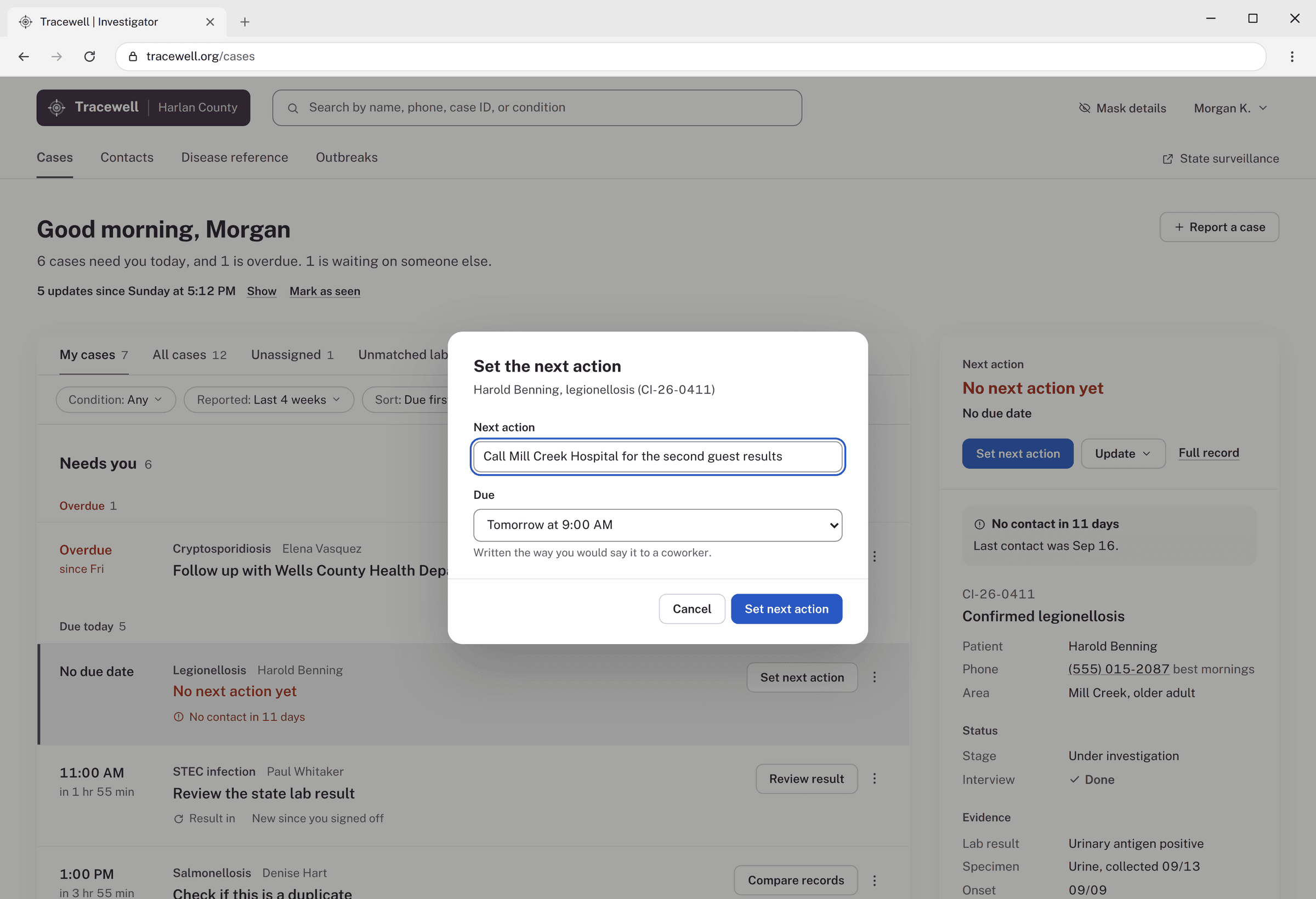
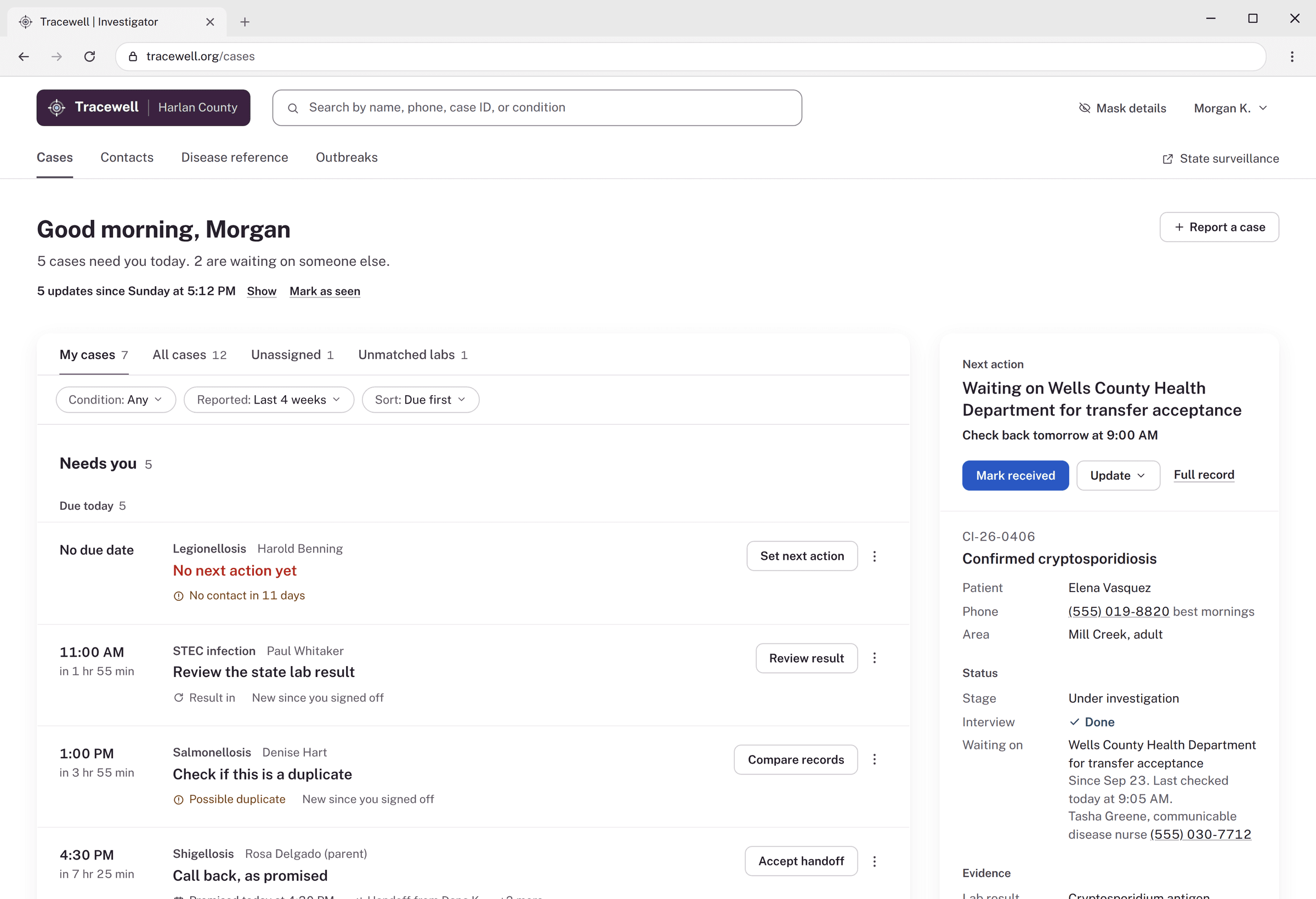
- Waiting on a patient, provider, lab, or another jurisdiction
- Who, for what, and an optional contact and phone
- A check-back date: the case moves to Waiting on others, and comes back to Needs you if nothing arrives
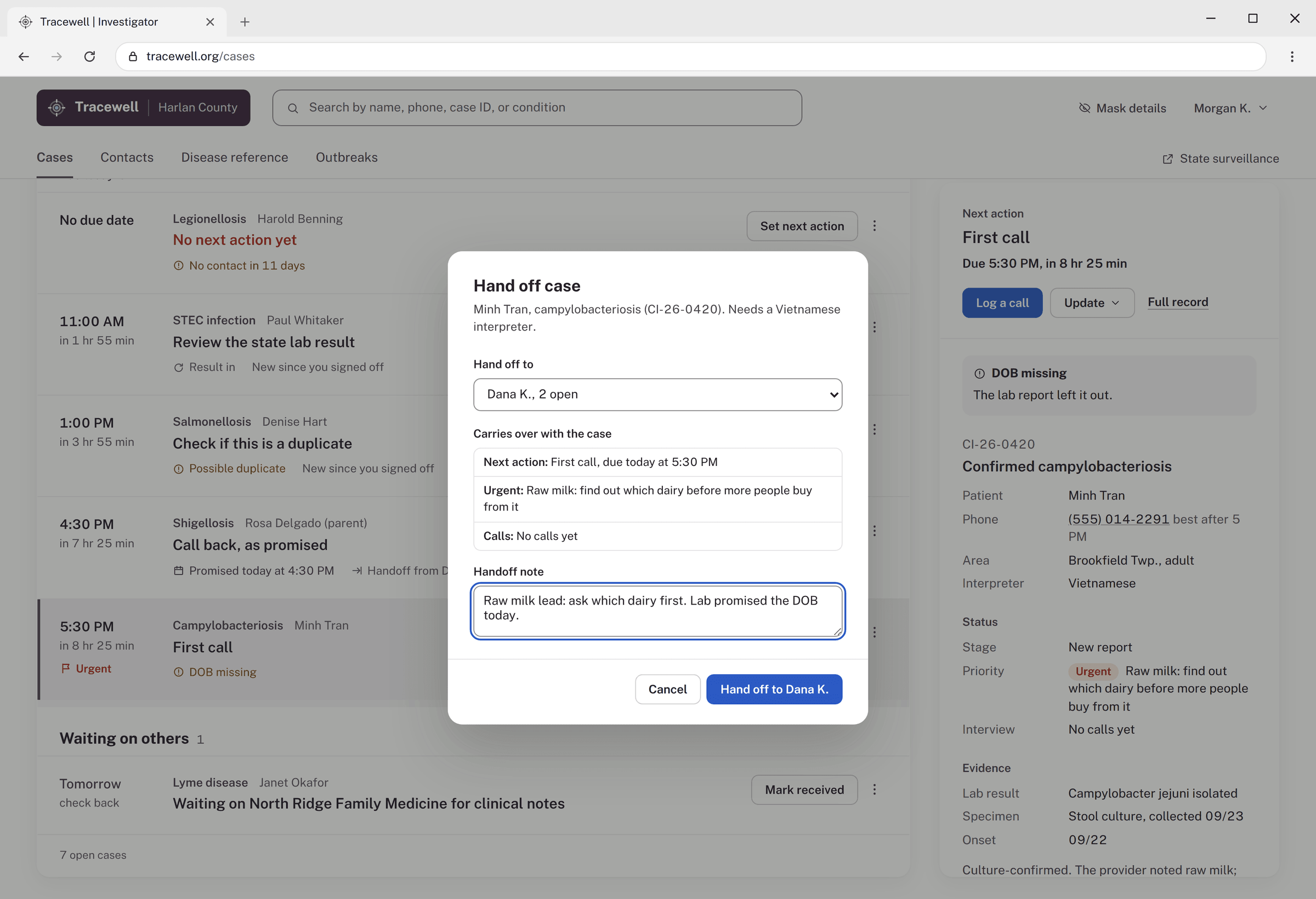
- 05
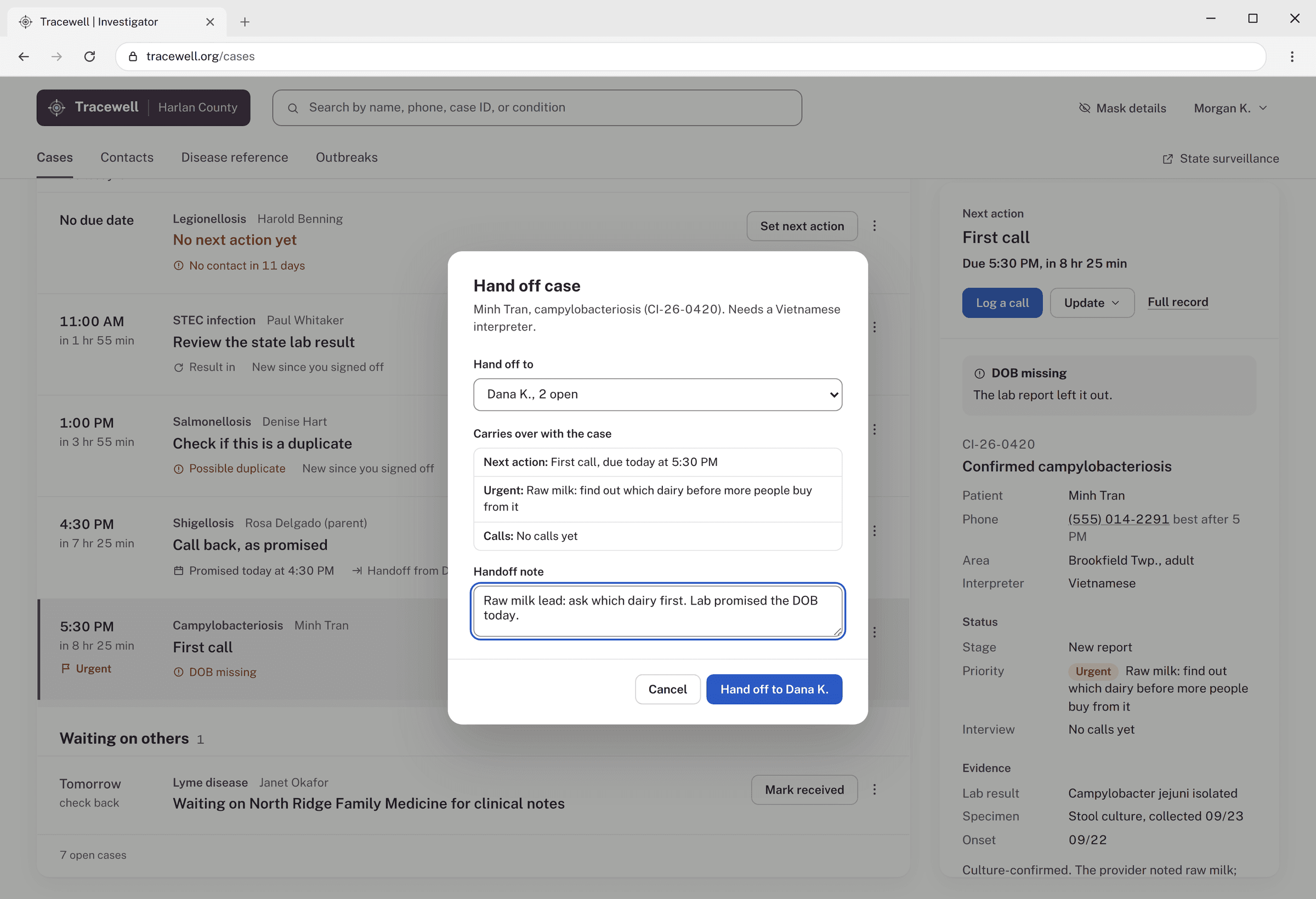
Hand off
Nothing lost between investigators.
- Pick who it goes to, with how many cases they already have open
- The next action, urgent notes, and calls carry over with the case
- A handoff note for anything else, and the case stays yours until they accept
Accessibility
- WCAG 2.2 AA. The final screens were checked against the AA criteria.
- Still to do. Screen reader testing.
Every decision tied back to something an investigator told me.
What worked
Putting a working version in front of investigators. Testing reorganized the whole screen around each case’s next action, and made sure nothing typed is lost to an interruption.
What I’d do differently
Benchmark with more investigators, across more departments. And keep drafts in the investigator’s account, not the browser session, with a reminder as a promised call gets close.
What I’d track
Time from report to first contact, places checked before the first case, and the share of open cases with a next action, owner, and due date.
Tracewell is a conceptual product, tested with working investigators, using sample case records.
Want to hear more?
I’d love to walk through the details.